DX Spotter User Manual

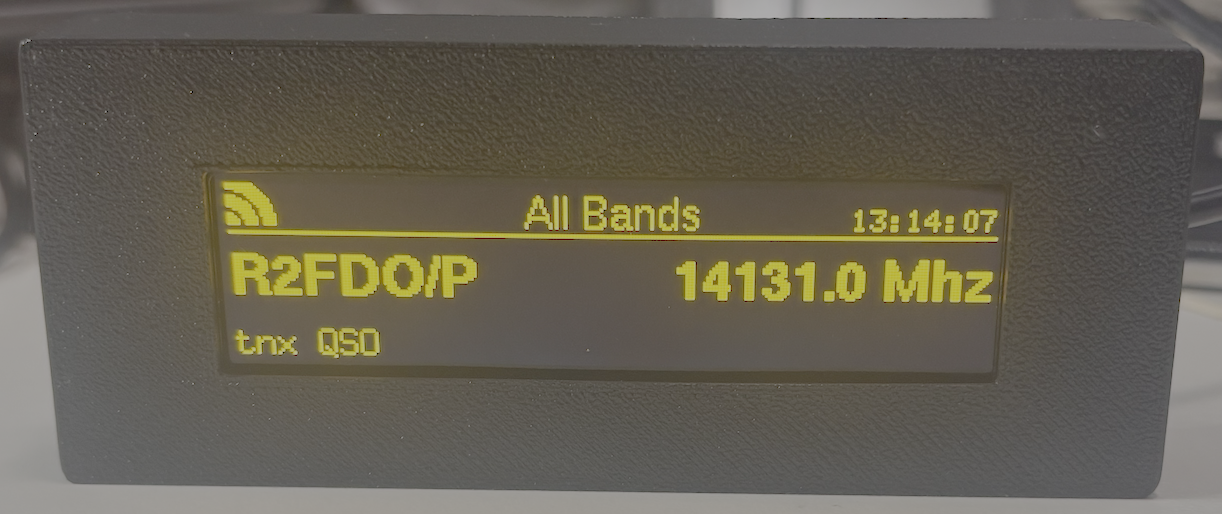
The DX Spotter Display Unit
Welcome to the DX Spotter user manual. This comprehensive guide will help you set up, configure, and operate your DX Spotter device.
The DX Spotter is a compact, WiFi-enabled device that connects to DX cluster networks and displays real-time amateur radio spot information on a high-contrast yellow OLED display. It provides an elegant solution for monitoring band activity and DX opportunities.
We have partnered with hamserve, https://dxc.hamserve.uk as the default DX Cluster to connect. Hamserve DX cluster is hosted in a data center with excellent bandwidth and uptime statistics, making it a great choice for receiving your DX Spots.
Contents:
Quick Links
About This Manual
This manual covers:
Initial setup and WiFi configuration
DX cluster connection settings
Band filtering and display customization
Troubleshooting common issues
Advanced features and OTA updates
Support
For additional support, please visit:
Website: https://www.topbytes.net
DX Spotter Portal: https://dxspotter.topbytes.net